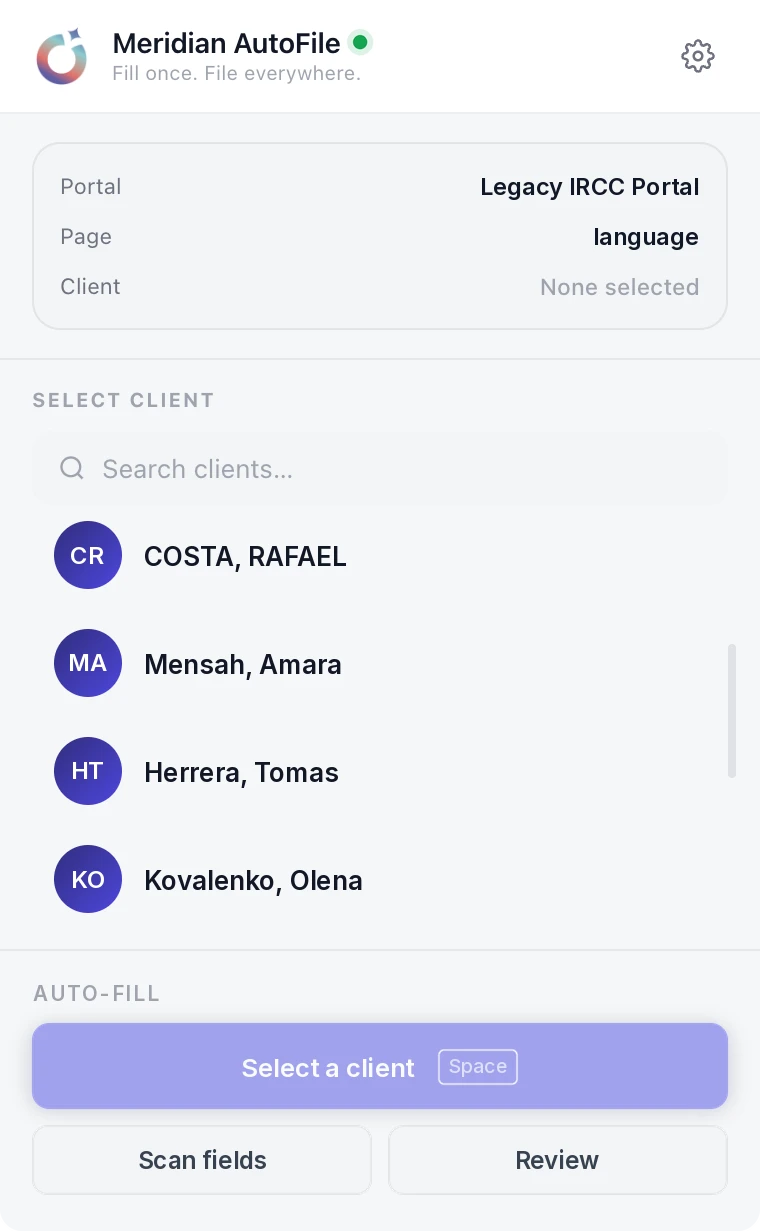
Meridian fills more than 190 IRCC forms straight from the client record, and the AutoFile Chrome extension does the same inside the IRCC online portals. You review, you sign, you file.
Open a case, choose the form, and the answers are already there. Every field is mapped to the exact line it belongs on, so an address lands where an address goes and a UCI lands where a UCI goes. Meridian fills what it can verify from the file in seconds and asks you for the rest.

Meridian AutoFile is our Chrome extension for the IRCC online forms. Sign in once with your Nova System account. Open the portal you already use and AutoFile connects on its own. Pick the client and it fills the page in front of you.

It does not invent an answer. If the file cannot prove a field, the filler leaves it and asks you. A form that is 90 per cent filled and honest about the rest is worth more than a form that is 100 per cent filled and wrong in one line.
It does not submit. You review every page and you file. The filing is your professional responsibility and the software should never take that decision out of your hands.
It does not touch your IRCC credentials. AutoFile signs in with your Nova System account. You open the portal yourself.
Client data sits behind the same controls as the rest of the platform: each firm's records walled off from every other firm's, encrypted in transit and at rest, stored in Canada, with an audit log you can export. The detail is on the security page.
A family of four on a work permit and study permit set is the same twenty answers typed over and over into different layouts. That is where the hours go, and it is also where the typos go, because nobody types a passport number for the ninth time with full attention.
Fill the file once and the forms come out of it. That is the whole idea, and it is the reason firms move to Polaris in the first place. The rest of the platform sits around it: Signet for signatures, Aurora on the phone, and the full feature list if you want the tour.
More than 190 IRCC and IMM forms, with each field mapped to the exact line it belongs on. The filler works from the case file, so the same answer is never typed twice.
Meridian checks form revision dates for you and flags any case still sitting on an old revision, which is the quiet way a filing goes wrong.
Both. The form filler inside Polaris handles the PDF forms. The Meridian AutoFile Chrome extension fills the online pages when you open GCKey, the Authorized Paid Representatives Portal, the Permanent Residence Portal or the online citizenship application.
No. You sign in to AutoFile with your Nova System account, not your IRCC credentials. You open the portal yourself and the extension connects on its own.
No. It fills and it flags. You review every page and you press the button, because the filing is your professional responsibility, not the software's.
It leaves the field and asks you. The filler fills what it can verify from the file and never invents an answer, which is the only safe way to automate this work.
Bring a form you filed last week. We will fill it on the call.